 Terrafold
Chapter 9
Hardscape and water
With the ground in place, the hard parts of the garden go on top: a patio, a retaining wall, steps, a gravel path, a lawn, planting beds and a pond. Each one is drawn as an outline or a path on the terrain, and Terrafold works out the rest: it follows the ground, grades where it must, and keeps count of areas and volumes.
The Garden tab
All these tools are on the Garden ribbon tab and in Draw ▸ Garden.

They all work the same way: click points on the terrain, then close the outline (click the first point again, double-click, or press Enter). While you draw, Backspace removes the last point and Escape starts over. Typed values set the options: a length for the thickness or width, a word for a kind.
The patio
- Choose Draw ▸ Garden ▸ Patio.
- Type
kerband press Enter to give it a kerb edge. - Click the four corners on the patio's pad, 20 cm inside its edge, and close the outline.
The patio is a 60 mm slab of Paving Slabs laid on the pad, with a 125 mm kerb around it. It is a group that knows it is a patio: select it and the Garden element context tab shows its type and area.
The retaining wall and the steps
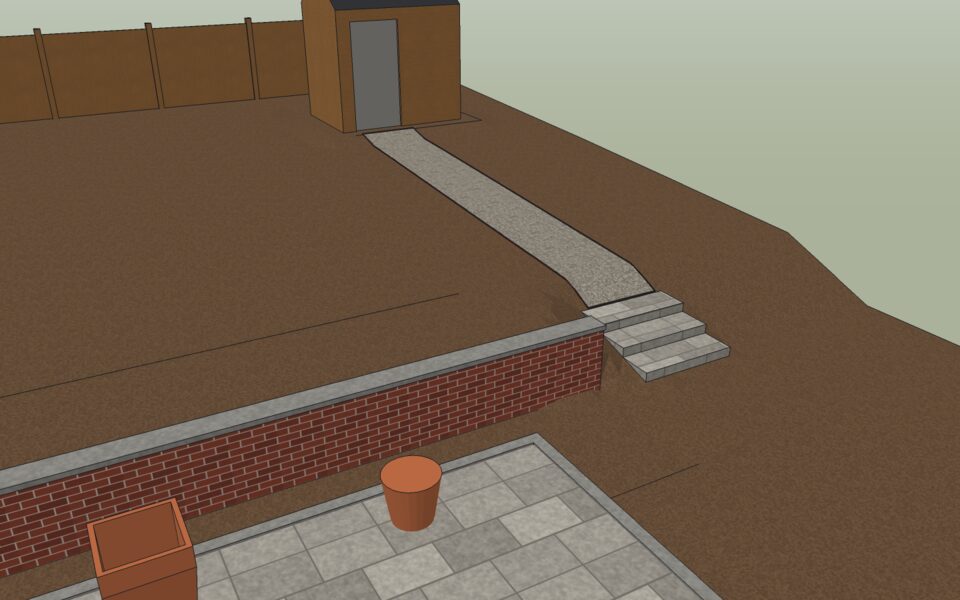
Behind the patio the ground rises steeply. A wall holds it back, and steps lead up beside it.
- Choose Draw ▸ Garden ▸ Retaining Wall, click its start and end along the foot of the bank, and press Enter. Terrafold builds the wall on the low side, levels 1.5 m of ground behind it, and sets the wall's height to the difference in level plus 10 cm, with a footing below and a cap on top.
- Choose Draw ▸ Garden ▸ Steps. Type
1.2for the width. Click the bottom of the slope at the patio, then a point at the top, and press Enter.
Terrafold divides the rise into steps close to 150 mm high, with treads of at least 280 mm, and grades the terrain to the flight. If the proportions are uncomfortable it says so.
- Choose Draw ▸ Garden ▸ Path, draw the path from the top step to the shed's pad, 1 m wide, and paint it Gravel. Type
steelbefore closing it for a steel edge.
The pond and the lawn
Dig the pond first, then lay the lawn around it.
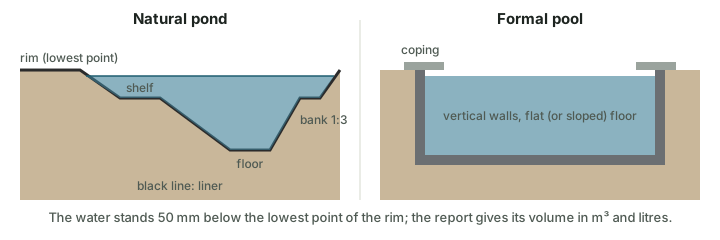
- Choose Draw ▸ Garden ▸ Pond (a natural pond; type
formalto switch to a pool, or a length to change the depth). - Click the corners of the pond in the upper garden and close the outline.
Terrafold digs the basin: sloping banks, a planting shelf, a flat floor and a liner, with the water 50 mm below the lowest point of the rim. Draw ▸ Garden ▸ Pool makes a formal pool instead, with vertical walls and coping.
- Choose Draw ▸ Garden ▸ Lawn, type
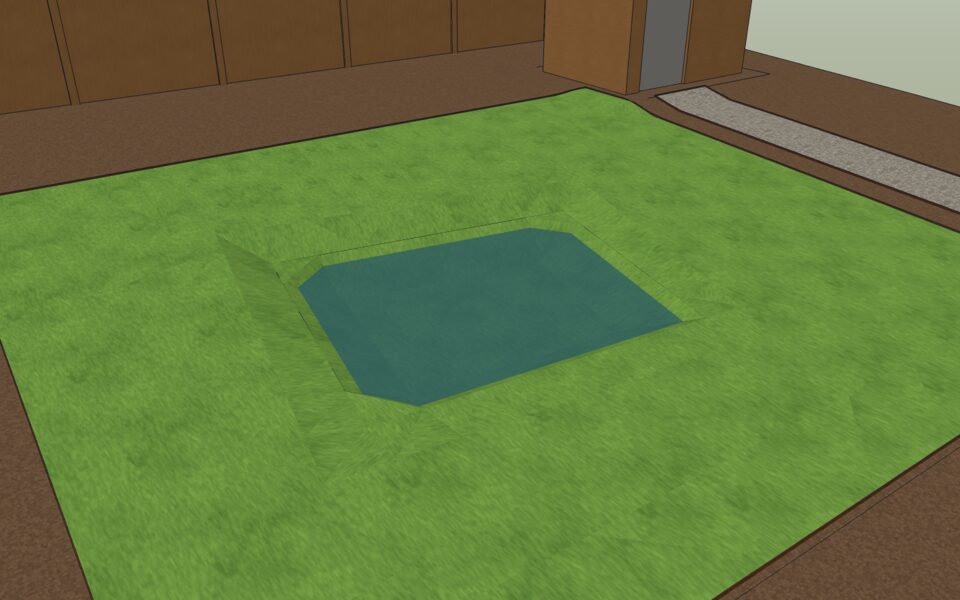
steel, and draw the lawn over the whole upper level, around the pond. The lawn drapes into the pond's banks and stops at the water.
Planting beds
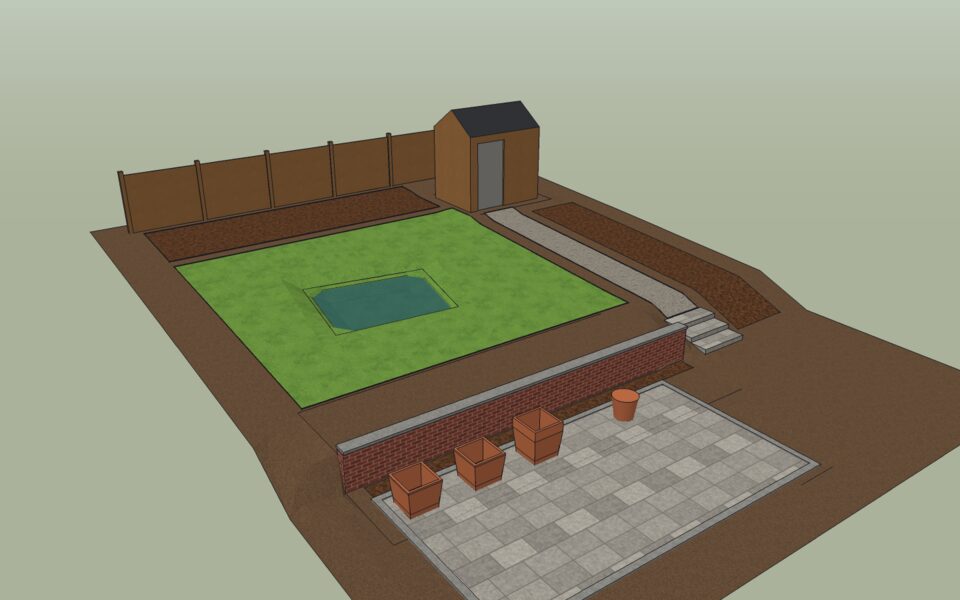
Draw ▸ Garden ▸ Planting Bed draws a bed with 50 mm of Bark Mulch. The project has three: a narrow strip below the wall, the bank beside the steps, and a border along the back with a steel edge.
The quantity report
Every area, edge, wall, flight of steps and pond keeps its quantities. Tools ▸ Garden ▸ Quantity Report adds them up, and File ▸ Export ▸ Garden Quantities saves them as a CSV file next to the model, ready for a spreadsheet or a quote.
| What | Quantity |
|---|---|
| Patio: plan area, slab volume | 21.8 m², 1.31 m³ |
| Path: plan area, volume | 6.9 m², 0.34 m³ |
| Planting beds (3): plan area, mulch | 29.3 m², 1.46 m³ |
| Lawn: plan area, surface area | 54.6 m², 55.4 m² |
| Edging: steel, kerb | 64.9 m, 19.6 m |
| Earthworks: cut, fill, net | 3.33 m³, 3.62 m³, +0.28 m³ |
| Retaining wall: length, face area, greatest height | 7.8 m, 5.7 m², 0.73 m |
| Steps: risers, length | 3, 1.2 m |
| Pond: water volume, water area, liner | 874 litres, 6.2 m², 7.8 m² |
The lawn's surface area is larger than its plan area because it slopes and dips into the pond's banks: order turf by the surface area.